






- Home
- What's new at FocalScope
- Data masking
Automatically detect and mask sensitive customer information in incoming and outgoing messages, helping protect payment and identity details while keeping support conversations readable.
At glance
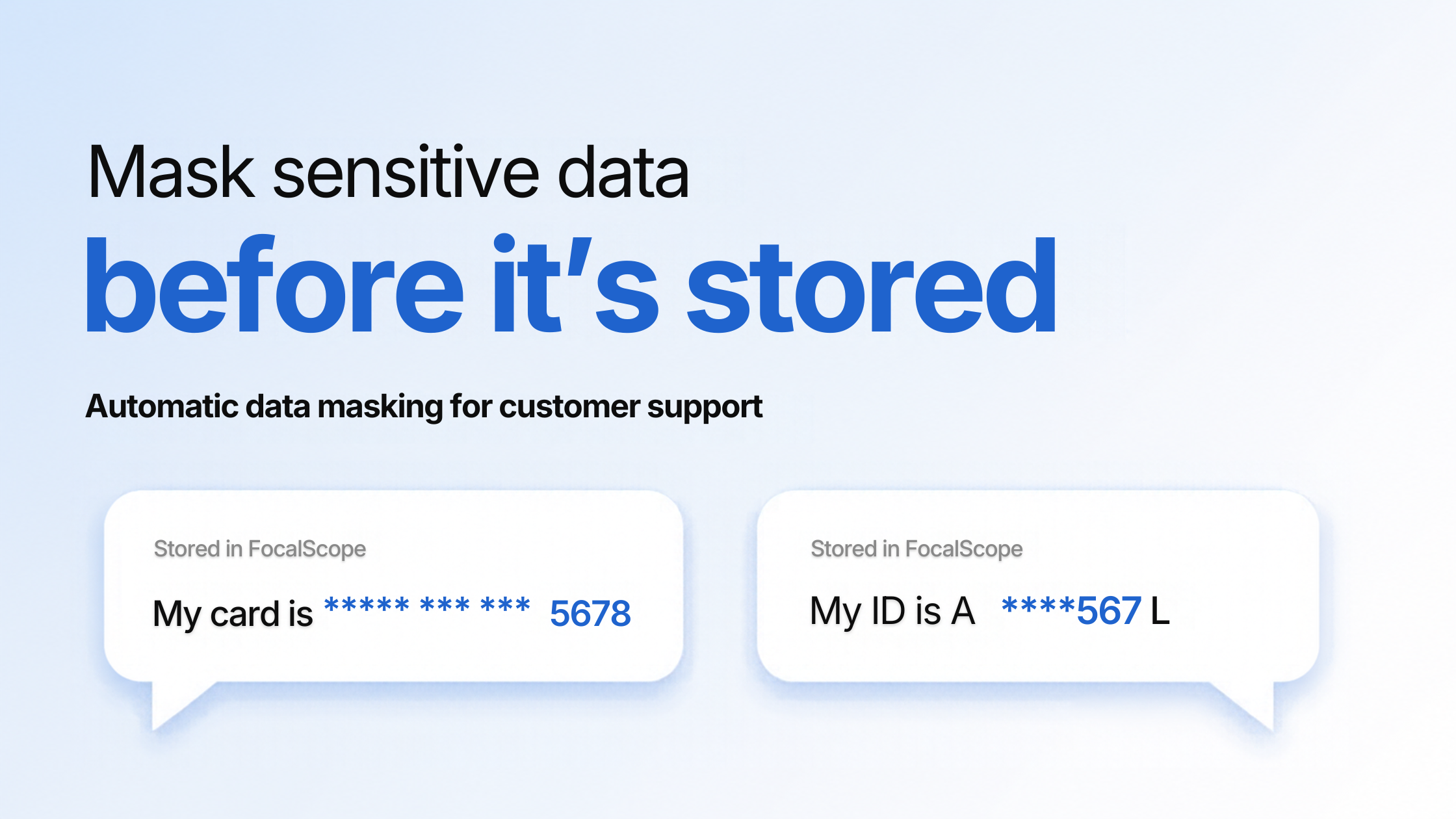
Data masking protects sensitive customer information by automatically replacing confidential details, such as credit card numbers and identity numbers, with symbols before they are stored. This allows support teams to handle customer enquiries while reducing the amount of sensitive information retained in message records.
Customers regularly share personal and payment information during support interactions. Without automatic masking, these details can remain visible in stored messages, increasing the amount of sensitive information an organisation must protect. FocalScope automatically detects and masks sensitive number sequences in incoming and outgoing messages, keeping conversations readable while helping protect customer data.
What is data masking in customer support?
Data masking replaces sensitive digits with symbols such as asterisks. The conversation stays readable, so your team can still help the customer, but the full number is not kept in the stored text.
FocalScope detects the numbers for you, so no manual redaction is needed.
Which laws and standards call for data masking?
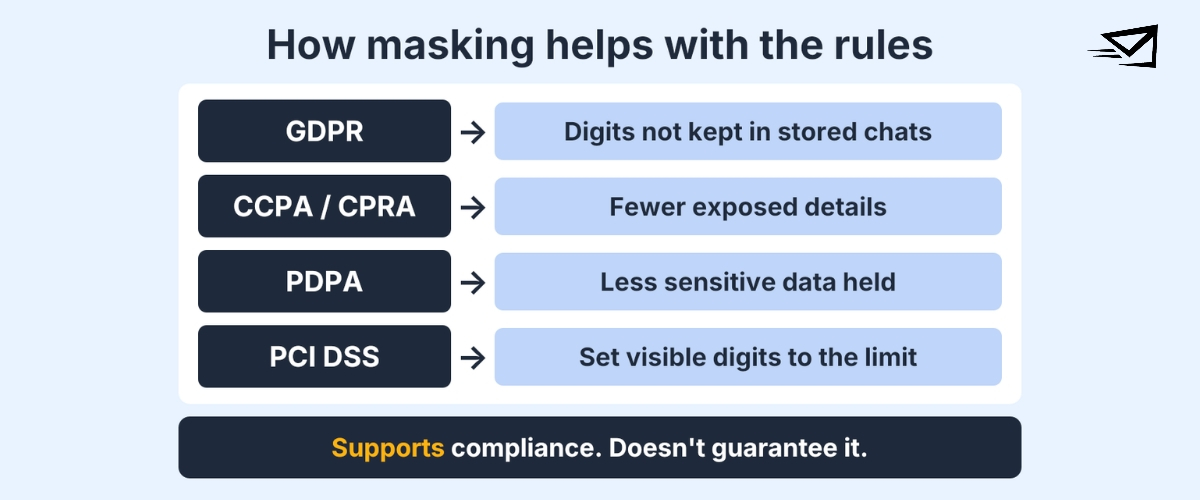
Privacy and payment rules point the same way: keep only what you need, and keep it secure.
|
Rule |
What it asks |
How masking helps |
|
Data minimisation, plus integrity, confidentiality and appropriate security (Articles 5 and 32) |
Sensitive digits are not kept in the stored conversation |
|
|
Reasonable security for personal information |
Fewer exposed details to protect |
|
|
A protection obligation for personal data in your care |
Less sensitive data held in your support records |
|
|
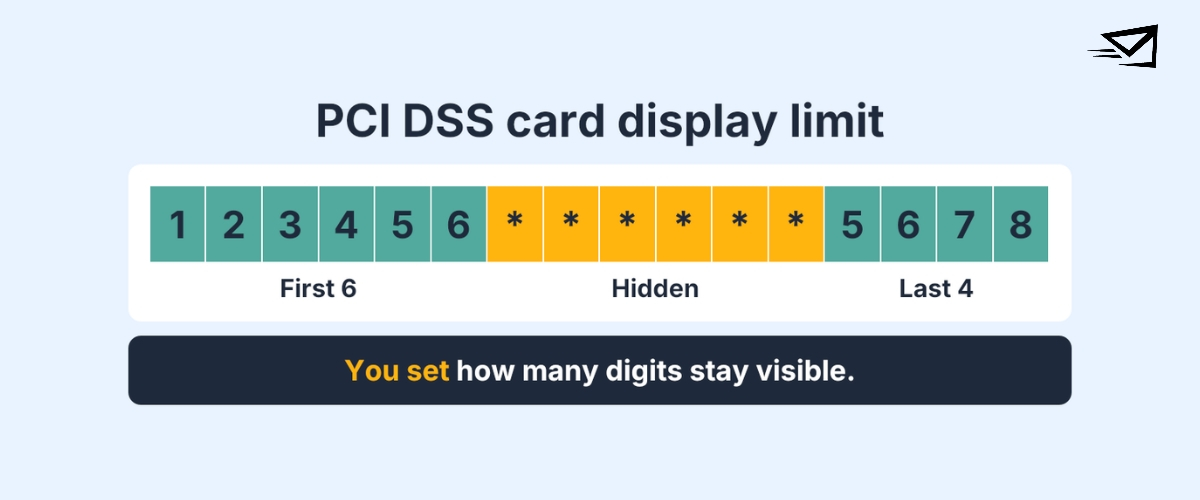
Show no more than the first six and last four digits of a card number, and only to people with a business need (Requirement 3.4.1) |
The digits shown are set by you, so you can match the limit |
Singapore’s Personal Data Protection Commission (PDPC) advises against using NRIC numbers to authenticate individuals, reinforcing the importance of protecting identity information.
FocalScope automatically detects and masks sensitive number sequences in stored message text, replacing selected digits with symbols while retaining others for reference. This helps protect customer information while keeping conversations readable.
Beyond individual masking measures, protecting customer information requires a broader approach to privacy and data security. Masking provides one automatic layer of protection across supported message conversations.
How does FocalScope data masking work?
Once masking is on, FocalScope detects credit card numbers and ID sequences. Card numbers are checked with the Luhn algorithm. The system then blocks out the sensitive digits before the message is stored.
Credit card numbers
- Text received: I want to pay by VISA. My card details are: 1234 5678 1234 5678
- Text stored in FocalScope: I want to pay by VISA. My card details are: **** **** **** 5678
Identity numbers
- Text received: Please cancel my subscription. My ID is: A 1234567 L
- Text stored in FocalScope: Please cancel my subscription. My ID is: A ****567 L
Can I control how many digits are shown?
Yes. Every business and every law is different, so data masking in FocalScope is flexible.
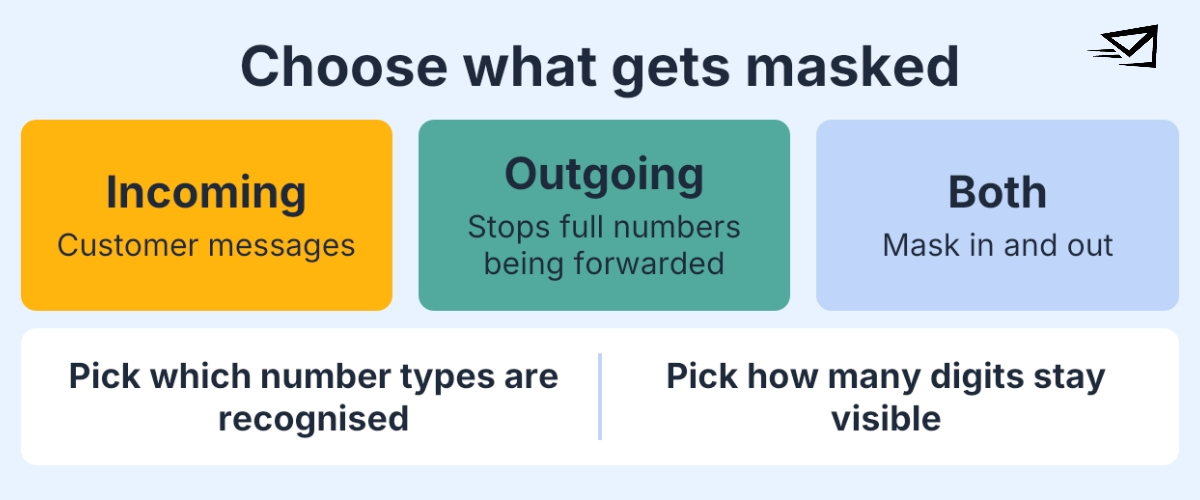
- Inbound and outbound control: apply masking to incoming messages, outgoing messages, or both. Masking outgoing messages helps stop team members forwarding a full card or ID number by mistake.
- Custom sequence types: choose which number sequences FocalScope recognises, including credit card and identity numbers.
- Custom visibility: decide how many digits stay visible, such as only the first three or the last two.
- Matched to your rules: set the display to fit the data laws and payment standards that apply to you.
What else protects customer data in FocalScope?
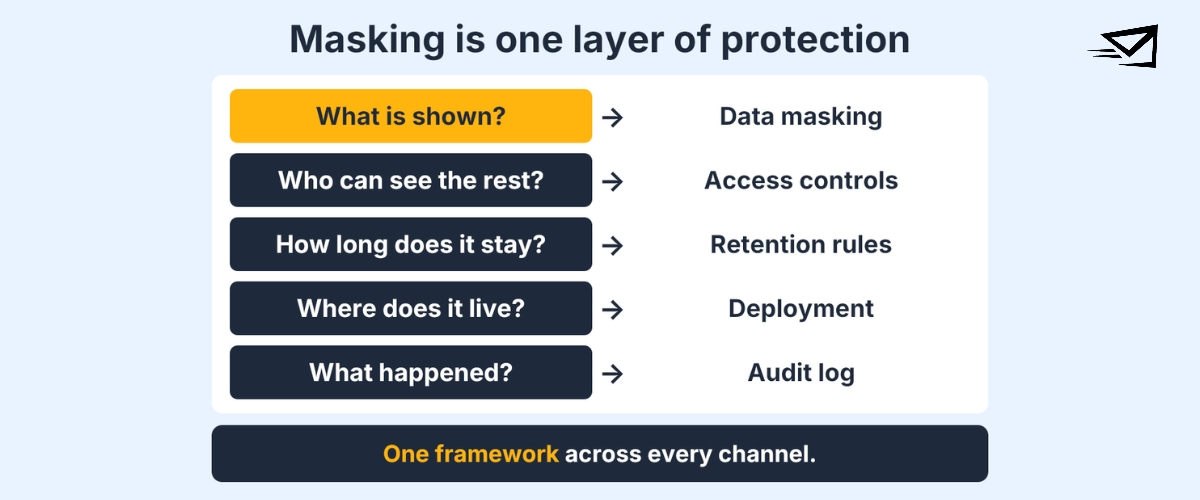
Masking decides what is shown. Strong governance decides who can see the rest, where it lives, and how long it stays. FocalScope brings these together in one platform.
- One workspace for every channel. Email, voice, live chat, WhatsApp, SMS, and social messaging sit under the same governance framework. Access rules, retention rules, and search work the same way everywhere, so you have one source of truth when a compliance question comes up.
- Granular access controls. Set roles and permissions to control who can access information and which actions they can perform.
- Retention you configure yourself. Set rules for different data types and automate archiving and deletion when records reach their limit, with no developer ticket needed.
- Flexible deployment options. Choose cloud deployment or speak to our team about on-premise and Bring Your Own Cloud (BYOC) options. FocalScope supports Microsoft SQL Server, with deployment configurations tailored to your infrastructure requirements.
Data masking FAQs
What is data masking?
Data masking hides sensitive details, such as card and ID numbers, by replacing digits with symbols. Only the part you choose to show stays visible.
Which data can FocalScope mask?
FocalScope automatically detects credit card numbers and ID sequences. You can choose any type of sequence to be recognised.
Can I mask incoming messages, outgoing messages, or both?
All three options are available. Masking outgoing messages helps stop team members forwarding sensitive information by mistake.
Does data masking meet PCI DSS?
PCI DSS limits card number display to the first six and last four digits. FocalScope lets you set how many digits stay visible, so you can match that limit. Compliance depends on your whole payment environment, so check your own requirements.
Does enabling data masking guarantee GDPR compliance?
No. Data masking is a technical safeguard that supports your wider data protection practices, but it does not establish GDPR compliance on its own. Organisations need to assess their full data processing environment and put appropriate technical and organisational measures in place.
Read more about the EU Data Act, and how FocalScope mangages privacy for your EU-based clients.
What is the difference between data masking and encryption?
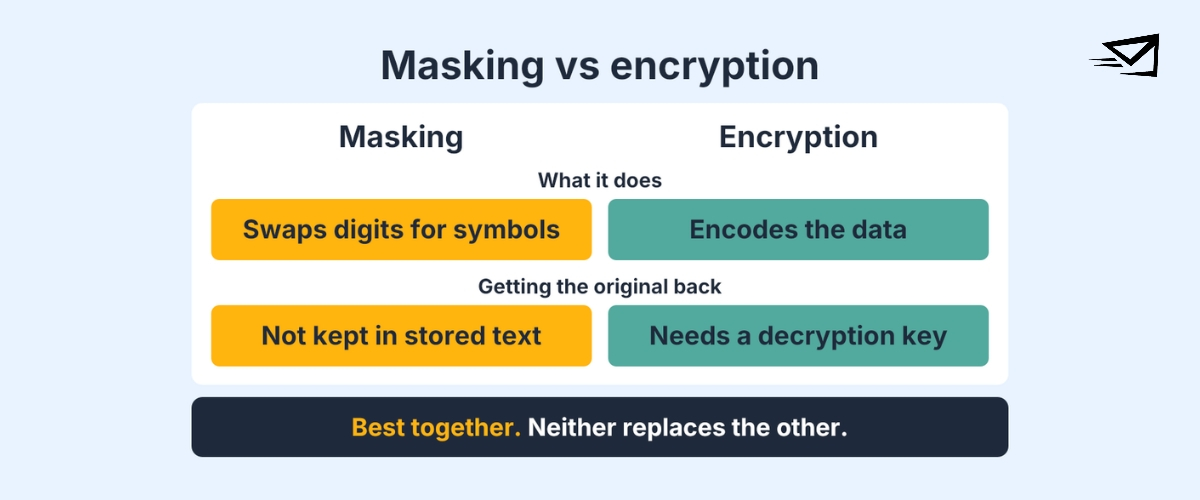
Data masking replaces visible characters with symbols, such as asterisks, before storage. Encryption turns information into an encoded format that needs a decryption key to recover. They meet different security needs and work best together.
Does masking replace other security measures?
No. It works alongside access controls, retention rules and audit logging.
Protect customer data without slowing down support
Sensitive information shouldn’t become a security risk every time a customer contacts your team. With FocalScope, automatic data masking helps protect payment and identity details across your customer conversations, while your team stays focused on resolving enquiries.
Book a 30-minute demo and see how it works in practice, or talk to our team.
Related Topics


Custom Wiki Knowledgebase

Call Routing &
SLA Customisations