- Home
- What's new at FocalScope
- Customer data
How FocalScope automatic data archiving and purging helps organisations control ageing customer data without recurring manual clean-up.
What is automatic data archiving and purging?
Automatic data archiving and purging turns your organisation’s data-retention rules into an operational process. FocalScope can archive or purge supported customer records once they reach the retention period you define.
Admins can configure retention rules for:
- Emails
- Call recordings
- Call logs
- Chat transcripts
- Other customer-related records
Once configured, routine retention no longer needs to become a recurring manual clean-up exercise. FocalScope applies the defined process consistently and on schedule.
Key benefits of automation
- Consistency: Your organisation decides what needs to be retained and for how long. FocalScope helps make sure those decisions are applied consistently, rather than depending on someone remembering to run another manual clean-up.
- Control: Retention becomes a defined operational process. Administrators can manage when data is archived or purged and retain visibility over the process.
- Less administration: Identifying and processing ageing data manually takes time and can turn into a recurring IT task. Automation reduces that administrative workload and lets teams focus on work that actually needs human attention.
- Better data hygiene: Keeping data indefinitely simply because it is easier than reviewing it creates unnecessary accumulation. A defined retention process helps organisations keep their customer-data environment under control.
- Performance: Data that has outlived its purpose adds weight to your system for no benefit. Removing it on schedule helps prevent unnecessary data from building up.
- Cost: Manual archiving projects often mean bringing in external IT support, and that adds up fast, especially for teams handling high volumes of customer interactions. Automating the process removes that recurring cost.
When a client leaves, their data shouldn’t become an IT project
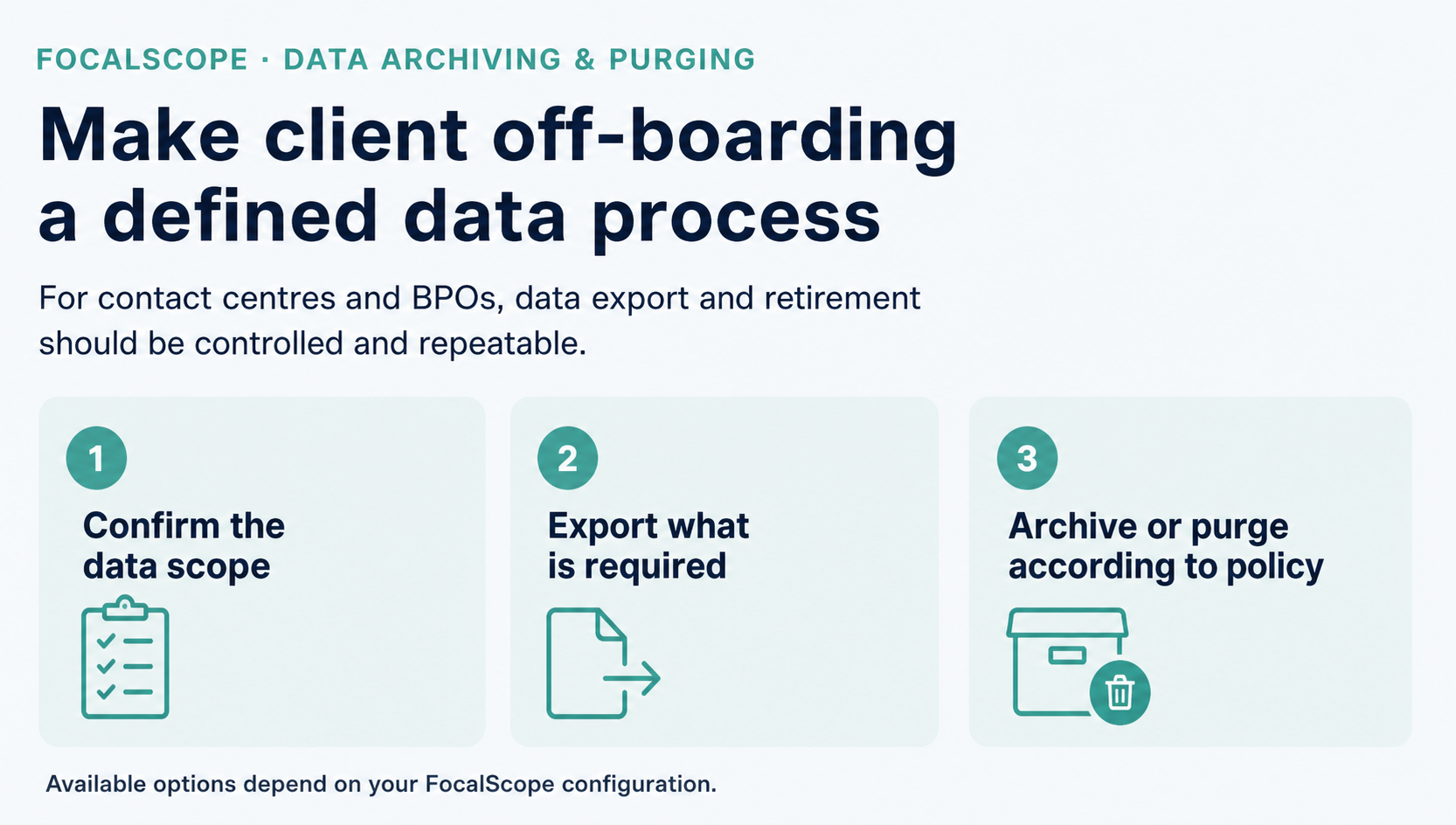
For contact centres and BPOs, client off-boarding can create a significant data-management task. Customer records may need to be exported and then removed or archived without affecting information belonging to other clients or disrupting live operations. FocalScope is designed to make this a controlled, scoped and repeatable process rather than a one-off manual clean-up exercise.
Data lifecycle management isn’t new to FocalScope
FocalScope has been developing data archiving and purging capabilities for more than a decade. Data archiving with optional purging was introduced in 2013, followed over the years by automated archive recovery, purge controls across message types, telephony and live-chat retention jobs, express email purging, and more recently improved administrator self-management and auditing.
The result is not a compliance feature added as an afterthought. It is a mature part of how FocalScope helps organisations manage customer communication throughout its lifecycle — from the moment it arrives to the point at which it should be archived or removed.
How the process works
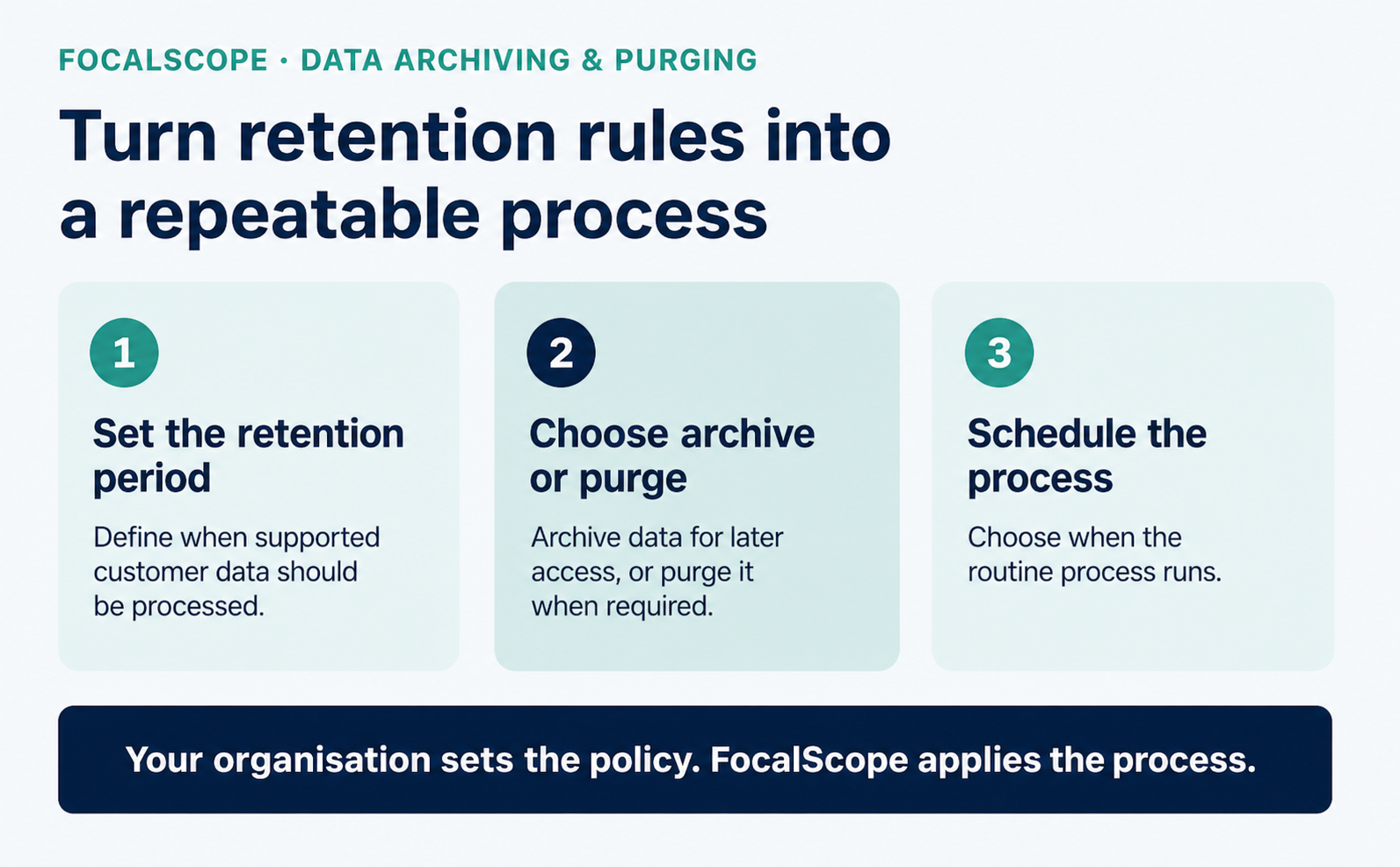
Your organisation remains in control of the retention policy. FocalScope automates the operational work required to apply it.
- Set a retention period. Decide how long data should stay in the system before action is taken.
- Choose archive or purge. Data past the retention period can be archived for later access or purged completely.
- Schedule the process. Run it after hours or during an existing maintenance window, to minimise disruption to live operations.
Admins can also archive or purge data manually, on demand, whenever it’s needed.
Retention is part of protecting customer data
Data protection isn’t only about stopping unauthorised access. It also means understanding why customer data is being retained, controlling how long it remains available, and having a reliable process for retiring it when it is no longer required. Automated archiving and purging makes that final part of the data lifecycle easier to control and audit.
Frequently asked questions
What types of customer data can FocalScope archive or purge? FocalScope provides archiving and purging capabilities across multiple types of customer communication data, including email, live-chat and telephony data. Your FocalScope team can confirm the options available for your particular configuration and retention requirements.
Can we purge data for one client without affecting others? Yes. This is built for contact centres and BPOs that need to manage a single client’s data separately during off-boarding.
Can data be archived instead of purged? Yes. Admins choose whether data is archived for later access or purged completely once it passes the retention period.
Can purging run outside business hours? Yes. Schedule it for after hours or a routine maintenance window to avoid any impact on live operations.
Do we need IT support to set this up? No. Admins configure retention periods and archiving or purging rules themselves, without external help.
Can data also be archived or purged manually? Yes. Admins can trigger archiving or purging on demand, in addition to the scheduled automation.
Can administrators monitor archiving and purging activity? Yes. FocalScope provides administrative management and auditing capabilities for data archiving, giving authorised administrators greater visibility and control over the process.
Make your retention policy a process, not another recurring project.
Talk to the FocalScope team about how automated archiving and purging can support your organisation’s data-retention requirements.
Related Topics


Custom Wiki Knowledgebase

Call Routing &
SLA Customisations